
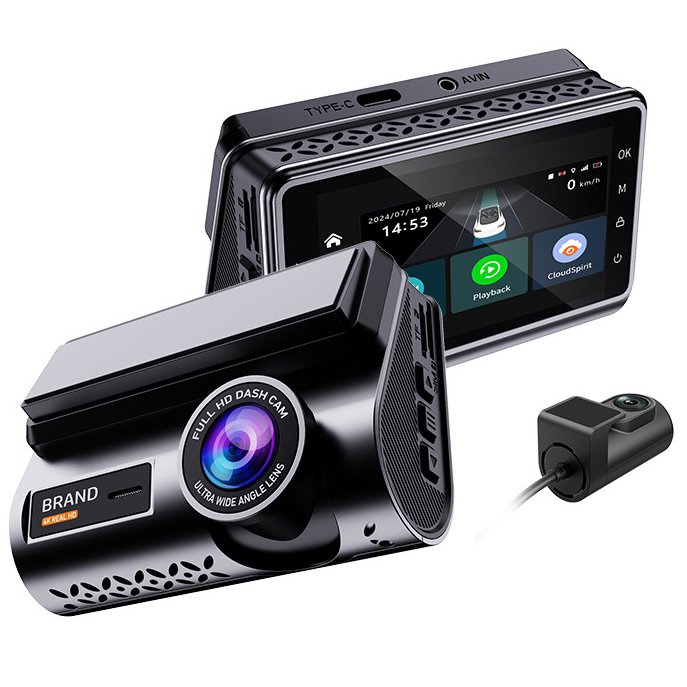
Three quiet mechanisms decide whether a dash cam is actually useful on the day of an incident: loop recording, the G-sensor and parked recording. They are also the three things buyers test badly. Here is how each works.
Loop Recording: the Camera That Never Fills Up
The recorder writes video in short segments (1/3/5 minutes). When the card fills, the oldest unlocked segment is overwritten automatically — the camera never stops for housekeeping. Well-engineered firmwares make this seamless: no dropped frames or gaps between segments, so a collision that starts in one clip and ends in the next remains continuous. Buy-side tip: ask suppliers to demonstrate a seamless-loop test — cheap firmwares show a visible gap right at the worst moment.
G-Sensor: Which Clips Get Protected
An accelerometer monitors sudden acceleration, braking and impacts. On a detected event it locks the current segment (and often buffers 10–20 s before it) into a protected folder that loop recording cannot overwrite. Adjustable sensitivity matters: too high and every pothole locks clips until the card is full of junk events; too low and a real impact goes unprotected. Quality units let you tune sensitivity in steps, and 4G fleet units like our YC05 can push the collision alarm with a video clip to the platform in real time.
Parked Recording: Who Watches the Car Overnight
Three mainstream approaches, each with trade-offs:
- Buffered motion/impact detection — the camera stays in ultra-low-power standby, keeping a few seconds of video in memory; it only writes to card when the G-sensor or motion detection triggers. Lowest power, nothing missed.
- Timelapse parking — records at 1–5 fps continuously; full overnight coverage at ~2% of normal file size, but no audio and fewer frames to identify fast objects.
- Hardwired + low-voltage cut-off — the camera keeps full-rate recording while the car is parked, and a voltage guard stops recording before the car battery is drained below a safe threshold.
For 4G fleet cameras, parked mode is usually replaced by remote live view: the platform wakes the camera on demand or on event — that is what our 4-channel YC06 and other CMSV6 units are built for.
Frequently Asked Questions
Will loop recording delete important footage?
No — locked clips are exempt from overwrite. Events captured by the G-sensor (or manually locked by pressing the protect button) stay until you delete them or the card is reformatted.
How long can a dash cam record while parked?
With buffered impact mode, days to weeks depending on battery and settings. Continuous recording depends on the power source and low-voltage protection; a 128 GB card holds roughly 12–15 h of 1080p dual footage.
What G-sensor sensitivity should I set?
Medium for city driving; low on rough roads. If the card fills with locked clips from bumps, step it down — protected junk events are the most common cause of a “full card” complaint.
Looking for a Dash Cam Supplier?
Yeshi Tech manufactures consumer and 4G fleet dash cameras for wholesale, OEM/ODM and private-label partners worldwide. Browse our full product range or request a quote — our engineers respond within one business day.
[…] Parking mode is a low-power state the camera enters (usually automatically) when the vehicle stops and power switches from driving to parked. In this state it does not record continuously in the normal way; instead it watches for triggers and only saves footage around an event. There are three common trigger types — the mechanics are covered in our loop recording, G-sensor and parked-recording explainer: […]