
Ask any repair counter: the part that fails most in a dash cam system is not the camera — it is the memory card. Dash cams rewrite data continuously, in heat, for years. Choosing the right microSD card is cheap insurance, and for distributors it is also an accessory-revenue opportunity.
Why Dash Cams Are Hard on Cards
A dash cam writes video almost non-stop and overwrites it in a loop, day after day, at 60–80 °C cabin temperatures. Consumer photo cards are built for a few large writes per session, not constant small rewrites — they eventually slow down or corrupt. This is why High Endurance cards exist: they use flash rated for tens of thousands of rewrite cycles and are the standard recommendation for dash cams.
Capacity: Doing the Math
Required capacity = recording bitrate × channels × hours. Approximate hourly volumes (single camera):
| Resolution | GB per hour (approx.) | 128 GB holds |
|---|---|---|
| 1080p | 5–9 GB | ~2 days |
| 2K | 9–14 GB | ~1 day |
| 4K | 16–27 GB | ~12–19 h |
Multi-channel systems multiply consumption — a 4K front + 1080p rear 2CH set realistically wants 128–256 GB. With loop recording the card is a rolling window, not an archive; bigger cards simply extend how far back footage reaches.
Speed Class: What Actually Matters
Video needs sustained write speed. Look for U3 / V30 minimum (30 MB/s sustained write) — comfortably above any dash cam bitrate. Faster is harmless but pointless; cheaper U1 cards are the classic cause of “card too slow” errors and dropped frames. Avoid no-name cards entirely: counterfeit capacity is rampant on marketplaces.
Endurance, Formatting and Care
- Buy High Endurance classes from reputable brands, ideally 128 GB+ from day one.
- Format in the camera every 1–2 months (menu option) to keep the file system clean — cards formatted only on PC accumulate fragmentation errors.
- Replace proactively — a working card past ~2 years of daily service is living on borrowed time; some fleets schedule replacement like wiper blades.
- Check write speed after heat waves — if the camera starts complaining about the card, reformat first, replace if it persists.
The Fleet Angle: Get Footage Off the Card
For fleets, the SD card is only a buffer. 4G units like the YC06 upload event video to the CMSV6 platform in real time, so evidence survives even a stolen or destroyed camera — and card health can be monitored remotely. That changes the card conversation entirely: smaller window, less risk, remote alarms (see also our fleet buying guide).
Retail tip: bundle a branded 128 GB high-endurance card with every 4K unit — it prevents the most common support ticket and lifts average order value. Ask us about bundled options via the quote form.
Frequently Asked Questions
What size SD card is best for a dash cam?
128 GB high-endurance is the modern default for 2CH systems; 256 GB for 4K multi-channel. Smaller cards fill their rewrite window too fast to be practical.
Are regular microSD cards okay for dash cams?
They work initially but wear out fast under continuous rewriting. High-endurance cards cost a little more and last many times longer in loop-recording duty.
How often should I format my dash cam card?
Every 1–2 months, using the camera’s own format function. It prevents file-system corruption — the top cause of “card error” messages.
Wholesale & OEM Inquiries
Yeshi Tech is a dash cam manufacturer serving wholesale distributors, importers and OEM/ODM brands worldwide. Tell us your market and target specification — we will recommend the right models and quote quickly. Request a Quote →
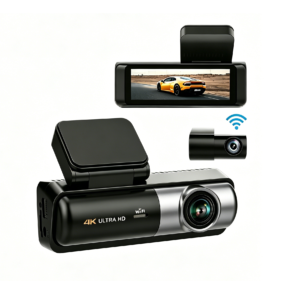
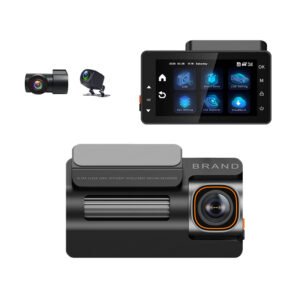
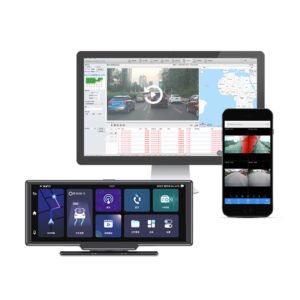
[…] Storage consumption: 4K uses roughly 1.8–2.5× the card space of 2K at similar quality settings. A 64GB card that holds ~8–10 hours of 2K may hold only ~4–5 hours of 4K. Plan for 128–256GB high-endurance cards in a 4K cam (SD card guide here). […]