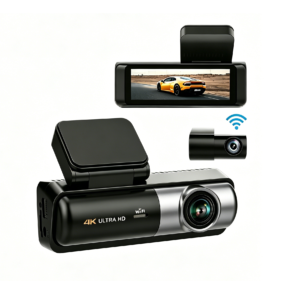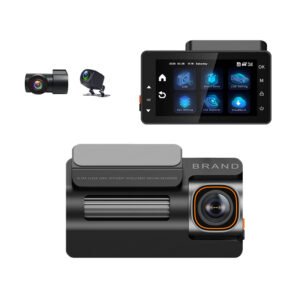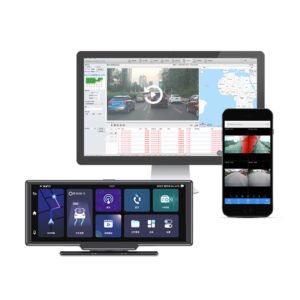
“Remote live view” is the feature that makes a 4G dash cam feel like magic: you open an app or web platform at your desk — or on the other side of the country — and watch what a truck is seeing right now, with its position on a map. It is not magic, though; it is a well-defined streaming pipeline, and understanding how it works explains why some units deliver smooth live view and others buffer endlessly, and why your data bill looks the way it does. Here is the path the video actually travels.
The Short Version
The dash cam encodes video on the device, sends it through its built-in 4G modem to a cloud streaming server over the mobile network, and your phone or PC pulls that stream from the server — the camera never connects directly to you. Everything in between is about compression, routing and keeping the stream alive on a moving vehicle.
Step by Step: How the Stream Gets From the Truck to Your Screen
- The camera captures and compresses on board. The image sensor produces far more raw video than any mobile link could carry. The recorder’s encoder compresses it in real time (H.264/H.265) into a network-friendly stream — and this is where good units differentiate themselves, because fleet platforms use dual-stream (dual-bitrate) encoding: a high-bitrate stream written to the local SD card for evidence quality, and a separate lower-bitrate “sub-stream” tuned for mobile transmission. Live view runs on the sub-stream; the full-quality footage stays on the card and in event uploads.
- The 4G modem transmits over cellular. A data-only M2M/IoT SIM in the device connects to the LTE network. The unit keeps the connection alive while the vehicle moves between cell towers (handover), which is why ordinary phone-tethering setups fail at this job — purpose-built fleet modules manage roaming and signal drops automatically.
- The stream lands on a cloud media server. The video is pushed to a streaming server (in our ecosystem, a CMSV6-compatible platform) that authenticates the device, records the stream if required, and makes it available to authorized viewers. This server-mediated hop is essential: it lets many managers view one vehicle, handles passwords and permissions, and records who watched what.
- You view it from the platform or app. On the web dashboard or phone app you pick a vehicle from the map or list and request live view; the server relays the stream to you. Typical glass-to-glass latency is 2–8 seconds on good signal — it is near-live, not a video call, which is more than fast enough for monitoring and response.
- Interaction travels back the same path. Two-way talk, snapshot requests, PTZ/channel switching and (on supported units) remote configuration commands travel back over the same link; AI events — collision, DMS fatigue alerts, geofence breaches — are pushed to the platform and your phone as instant notifications.
Live View vs Event Upload — Two Different Traffic Patterns
Fleet platforms deliberately separate these, because 24/7 full-quality streaming of every channel on every vehicle would be unaffordable:
- Live view is on demand: data flows only while someone is actively watching. A manager spot-checks a truck, rides along with a new driver, or verifies an incident as it is reported.
- Event upload is automatic: when the G-sensor, ADAS or DMS triggers, the device uploads a short clip (usually seconds before and after the event) at high quality — no human has to be watching. This is the footage that settles claims (how fleet operators use this in daily management).
This split is the reason a typical fleet SIM only needs a few GB of data per vehicle per month despite “having cameras everywhere”. The architecture is covered in more depth in our 4G dash cam explainer.
What Determines Whether Live View Actually Works Well
- Signal strength and network choice: LTE/4G is the baseline for usable video; units with multi-operator or roaming SIMs keep streaming where single-carrier ones drop out. Remote areas and underground depots will always have gaps.
- Bitrate and resolution of the sub-stream: good platforms default live view to something a mobile link can sustain (e.g. VGA-to-1080p adaptive) and let you switch channels; pushing 4K over cellular live view is usually a settings mistake, not a feature.
- Adaptive streaming: quality auto-scales with available bandwidth so the stream degrades instead of freezing.
- Channel count: watching 4 channels simultaneously needs roughly 4× the bandwidth of one — managers usually view one or two live and rely on event clips for the rest. Multi-channel coverage itself is explained here.
- The platform, not just the hardware: live view reliability depends heavily on the server platform and app. CMSV6-compatible platforms are the common standard across the industry precisely because they are proven at scale.
What Remote Live View Lets a Fleet Actually Do
- Verify an accident or driver call in real time — see the scene before anyone arrives.
- Monitor high-value or hazardous loads in transit, and watch live location plus video on one map.
- Coach live: ride along with new drivers via live stream and two-way talk.
- Respond to theft/hi-jack/geofence alarms by pulling up the vehicle instantly.
- Give insurers or customers verified views when needed — with access logs.
It is worth repeating: a Wi-Fi-only dash cam cannot do any of this remotely — Wi-Fi live view works only within ~10 meters of the car. The distinction is explained in our WiFi vs 4G comparison, and the safety/ROI case in how 4G fleet cameras cut accident costs and why fleets are moving to AI cameras.
Models with Remote Live View
- YC06 — 4G 4-Channel Fleet Dash Cam: multi-channel CMSV6 live streaming, GPS map view, two-way audio, optional ADAS/DMS — the full live-view fleet setup (launch article here).
- 4-Channel AI Fleet Cam with DMS + ADAS: live view plus AI event streaming for safety-first fleets.
- 2K Triple-Channel 4G Fleet DVR: road + rear + IR cabin live view for rideshare and taxi operations.
- YC03 — 4K front 4G dual-channel: high-resolution evidence plus remote monitoring.
- YS09 — 4G LTE with remote live view: compact, single-purpose connected tracker/camera.
Bottom Line
Remote live view works by compressing video on the dash cam, sending it through the built-in 4G modem to a cloud streaming server, and relaying it to your app — with a separate low-bitrate sub-stream for smooth mobile viewing, near-live latency of a few seconds, and automatic high-quality event clips handling the evidence side. Choose the hardware for camera coverage and AI, but remember the live-view experience is only as good as the 4G signal and the platform behind it.
Want Live View in Your Fleet?
Yeshi Tech’s 4G dash cams support remote live view over CMSV6-compatible platforms — multi-channel streaming, GPS map view, instant event clips, two-way audio and optional ADAS/DMS. We supply fleets, telematics partners and distributors with platform accounts, IoT SIM options, OEM branding and samples. Tell us your fleet size and how you want to monitor — quote within 24 hours.
Email: sales01@yeshi3c.com
WhatsApp: +86 134 2511 8418
Address: Room 1006, Xianke Industry Building, Bagua 4th Rd, Futian District, Shenzhen, 518029, China