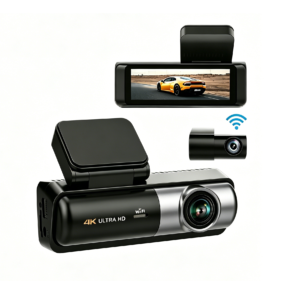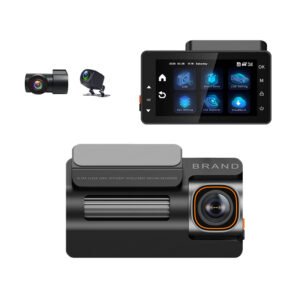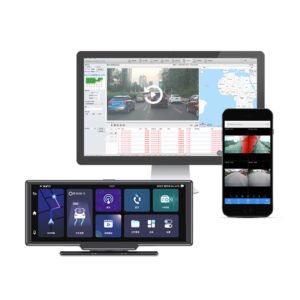
Every dash cam records to a memory card locally — but an increasing number can also send footage to the cloud. Buyers often ask whether cloud storage is worth the subscription, whether it replaces the SD card, and how it affects privacy and cost. The short answer is that cloud does not replace local recording; it layers on top of it, and whether you need it depends almost entirely on whether you’re protecting one car or managing a fleet. Here is a clear breakdown of local SD card vs cloud storage, what each does well, and who should choose what. For the card that powers local recording, see our memory card size guide.
Local SD Card Storage: How It Works
- Everything is recorded onto a microSD card in the camera, using loop recording that overwrites the oldest unlocked clips (footage retention explained).
- No monthly fee, no network needed — works even with no phone signal or Wi-Fi.
- You retrieve footage by pulling the card or connecting over the camera’s Wi-Fi to the phone app.
- Capacity is finite (32–256GB typical) and the card is a physical item that can be removed, damaged, or stolen along with the camera.
Cloud Storage: How It Works
- A 4G-connected camera (with a SIM/data plan) can upload clips — usually event clips automatically, and sometimes continuous stream on demand — to a secure online portal/app (how 4G dash cams work).
- Footage is stored on the provider’s servers for the plan’s retention period (often days to weeks for events, depending on subscription), viewable remotely from anywhere.
- Cloud needs cellular coverage and a data subscription; the SD card still does the main high-capacity recording, because uploading continuous 4K over cellular would be slow and expensive.
- This is what powers remote live view and fleet telematics — you can watch a live feed or pull an event clip from the office without touching the vehicle.
Local vs Cloud: Side-by-Side
| Factor | Local SD card | Cloud (4G) |
|---|---|---|
| Ongoing cost | None (just the card) | Data/SIM + subscription |
| Works without signal | Yes | No (needs cellular to upload/view remotely) |
| Survives camera theft/destruction | ❌ Card goes with the camera | Yes — clips already uploaded |
| Remote access / live view | No (Wi-Fi app only, near the car) | Yes, from anywhere |
| Capacity / retention | Card size (hours of driving) | Plan retention; event clips kept remotely |
| Tamper / driver-proof | Card can be wiped/removed | Central & tamper-resistant |
| Setup | Simplest | SIM + account/config |
The Big Difference: Evidence You Can’t Lose
The strongest case for cloud is evidence survivability. With a local card, if the camera is stolen, smashed in a crash, or the card removed/wiped, the footage can be gone — and a driver in a company vehicle can simply pull the card. With cloud event upload, the seconds around an impact are already off the vehicle and on a server, retrievable regardless of what happens to the device. For a private driver this is a nice safety net; for a fleet it is close to essential — it turns the dash cam into a managed, driver-proof system (see how fleet dash cams help management and the Wi-Fi vs 4G comparison).
Who Should Choose Which?
- Private drivers, one car: local SD recording is plenty — no subscription, works everywhere, and a good high-endurance 256GB card covers it. Choose a quality local cam like the YS15 or value YS02. Add cloud only if you specifically want remote viewing or the extra “footage survives theft” safety net.
- Rideshare / professional drivers: local is a must; optional 4G/cloud helps if you want incident clips backed up automatically and evidence that can’t disappear in a passenger dispute.
- Fleets / commercial operators: choose 4G with cloud event upload &mdash> remote live view, tamper-resistant evidence, GPS tracking and central management across vehicles justify the data cost many times over. Units like the 4G triple-channel fleet DVR and YC06 4-channel are built for this; the business buying guide walks through the decision.
A Note on Privacy
Cloud means footage passes over a network and sits on a server, so pick a reputable provider, use strong account credentials, and for fleets disclose recording/telematics to drivers. Local-only recording keeps everything physically in your car — a plus for privacy-minded private owners. Data-handling expectations for fleets are covered in the business guide.
The Short Version
Cloud storage doesn’t replace the SD card — the card still records everything locally with no fee and no signal needed, while a 4G cloud connection automatically backs up event clips off the vehicle, enables remote live view/GPS tracking, and makes evidence survive theft, damage or tampering. Private drivers rarely need a subscription and are best served by a big, high-endurance local card; fleets and commercial operators should treat 4G cloud as essential for driver-proof, remotely-managed evidence. Match the storage model to the use case, and make sure whichever you choose has reliable event locking and a quality sensor — start with the dash cam buying guide.
Local & Cloud-Connected Dash Cams — Driver, Fleet and Wholesale Pricing
Yeshi Tech supplies reliable local-recording dash cams and 4G connected fleet DVRs with automatic cloud event upload, remote access and configurable retention — for drivers, fleets, distributors and OEM partners. Tell us your market and quantities — quote within 24 hours.
Email: sales01@yeshi3c.com
WhatsApp: +86 134 2511 8418
Address: Room 1006, Xianke Industry Building, Bagua 4th Rd, Futian District, Shenzhen, 518029, China