
Here is a mistake that quietly ruins dash cams: someone buys a good camera, pops in a cheap or too-small memory card, and assumes they are protected — until the day they need footage and find the card corrupted, full, or overwritten. The memory card is the part that actually stores your evidence, and choosing the wrong size or type is the most common reason a dash cam “didn’t record.” This guide covers what size card you need, what kind of card, and how dash cam storage actually works. For the full feature checklist, start with our dash cam buying guide.
How Dash Cam Storage Works: Loop Recording
Dash cams do not fill up and stop. They use loop recording: the card is split into short clips (usually 1, 3 or 5 minutes), and when the card is full the camera automatically deletes the oldest unlocked clip and keeps writing. So the card size determines how many hours of footage it keeps before rolling over — not whether it records. Bigger card = further back you can go to find an incident.
Two things are protected from overwriting:
- Locked (G-sensor / event) clips — when the camera detects an impact or hard braking, it locks that clip so the loop never deletes it.
- Parking-mode clips — bumps recorded while you are away (see how this works in our parking mode & hardwire guide).
This is why a too-small card is a real problem: with only a few hours of loop space, locked and parking clips pile up, there is little normal driving buffer, and on a long drive the footage of an earlier incident may already be gone.
What Size Card Do You Actually Need?
Recording hours depend on resolution, bitrate and number of channels — a 4K 3-channel camera writes far more data per minute than a 1080p single lens. Here is a practical guide for typical modern dash cams:
| Card size | 1080p / 2K (1–2 ch) | 4K / 3-channel | Best for |
|---|---|---|---|
| 32GB | ~3–5 hours | ~1.5–3 hours | Bare minimum; not recommended |
| 64GB | ~7–10 hours | ~4–6 hours | OK for casual single-cam use |
| 128GB | ~15–20 hours | ~8–12 hours | Sweet spot for most drivers |
| 256GB | ~30–40 hours | ~16–24 hours | 4K, 3-channel, rideshare, parking-heavy |
Figures are approximate and vary by bitrate and audio; treat them as a planning guide, not exact specs.
Simple recommendations:
- Everyday single or dual camera (1080p/2K): 64GB minimum, 128GB recommended.
- 4K or 3-channel (front + rear + cabin): 128GB minimum, 256GB recommended — the higher bitrate of 4K footage eats space fast (see how resolution affects files in our 2K vs 4K breakdown).
- Rideshare / taxi / long daily hours: 256GB — you record 8–12 hours a day and need event clips to survive the loop.
- Parking mode in busy areas: 256GB, because parked-car event clips accumulate between drives.
The Kind of Card Matters More Than the Size
Dash cams are brutal on memory cards: they write continuously, 24/7, in a hot windshield. A normal phone/photography card will fail early. You need a high-endurance card rated for continuous video recording / dash cam / surveillance use.
- Look for “high endurance” / “max endurance” lines from reputable brands (SanDisk High/Max Endurance, Samsung PRO Endurance, etc.) — these are built for constant overwrite and heat, and are rated for thousands of recording hours.
- Use a reputable brand. No-name cards on auction sites are frequently fake capacity (a “256GB” card that is really 32GB) and fail without warning — taking your evidence with them.
- Class 10 / U3 / V30 rating minimum for high-bitrate 4K and multi-channel recording, so the card keeps up with the data rate (slower cards cause dropped clips or “recording stopped” errors).
- Format the card in the camera (not on a PC) before first use and every few months, and replace cards proactively roughly every 2–3 years of heavy use.
Check the Maximum Supported Size
Every camera has a maximum card capacity (many support up to 256GB; some newer models up to 512GB). Buying a card larger than the camera supports means it will either not boot or only use part of the capacity. All current Yeshi Tech models — such as the 4K triple-channel YS15, dual-channel YS14 and value YS02 — support high-endurance cards up to at least 256GB. Confirm the spec before you buy the card.
Local Card vs Cloud Storage
The microSD card stores footage locally for free with no subscription. 4G-connected / fleet cameras add the option of cloud upload for important clips — so even if the camera or card is destroyed or stolen, event footage is already off the device. That matters most for fleets and rideshare operators, where a driver might “lose” a clip; see how connected storage works in our fleet dash cam guide and the Wi-Fi vs 4G comparison. Even with cloud, a good local card is still essential as the primary recorder. The 4G triple-channel fleet DVR pairs local high-endurance storage with remote cloud retrieval.
Quick Dos and Don’ts
- ✅ Do buy a high-endurance, name-brand card — it is the cheapest insurance you will ever buy for a dash cam.
- ✅ Do size up for 4K, 3-channel, rideshare and parking-heavy use — 128GB minimum, 256GB preferred.
- ✅ Do format in-camera and check periodically that the loop and G-sensor lock are working.
- ❌ Don’t use a cheap no-name card or an old phone card — fake capacity and early failure are common.
- ❌ Don’t assume a tiny 32GB card “is fine” — the loop rolls over in hours and event clips can pile up.
The Short Version
For most drivers a name-brand high-endurance 128GB card is the sweet spot; step up to 256GB if you run 4K, a 3-channel camera, drive rideshare, or rely on parking mode. Buy the endurance-rated card rather than the cheapest card, format it in the camera, and replace it every couple of years. Get the card right and the camera actually has your back the day you need it — get it wrong and even the best dash cam is just a plastic brick on the windshield.
Dash Cams with Reliable Recording — Driver, Fleet and Wholesale Pricing
A dash cam is only as good as the card it writes to. Yeshi Tech supplies 4K, 3-channel and 4G connected dash cams that support high-endurance cards up to 256GB, with loop recording, G-sensor file locking and optional cloud storage — for individual drivers, fleets, distributors and OEM partners. Tell us your market and quantities — quote within 24 hours.
Email: sales01@yeshi3c.com
WhatsApp: +86 134 2511 8418
Address: Room 1006, Xianke Industry Building, Bagua 4th Rd, Futian District, Shenzhen, 518029, China
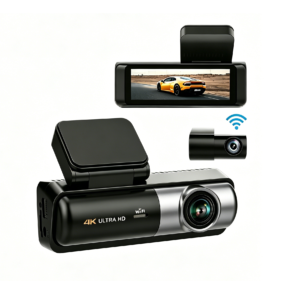
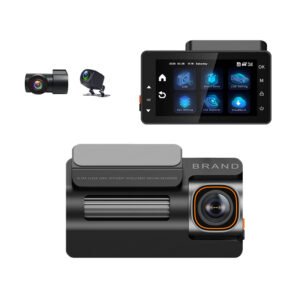
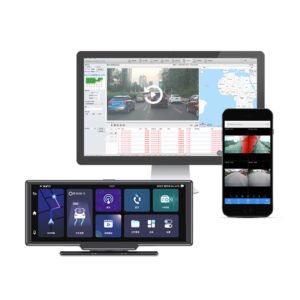
[…] A dash cam does not keep every second of driving forever — and understanding why is the difference between having evidence when you need it and finding the card rolled over your incident. People ask “how long does a dash cam keep footage?” expecting a single number, but the real answer depends on loop recording, event locking, the memory card, and whether you use cloud backup. This guide explains exactly how long footage survives, what gets protected, and how to make sure important clips are still there weeks later. For the card behind it all, see our dash cam memory card size guide. […]
[…] Every dash cam records to a memory card locally — but an increasing number can also send footage to the cloud. Buyers often ask whether cloud storage is worth the subscription, whether it replaces the SD card, and how it affects privacy and cost. The short answer is that cloud does not replace local recording; it layers on top of it, and whether you need it depends almost entirely on whether you’re protecting one car or managing a fleet. Here is a clear breakdown of local SD card vs cloud storage, what each does well, and who should choose what. For the card that powers local recording, see our memory card size guide. […]