A dash cam does not keep every second of driving forever — and understanding why is the difference between having evidence when you need it and finding the card rolled over your incident. People ask “how long does a dash cam keep footage?” expecting a single number, but the real answer depends on loop recording, event locking, the memory card, and whether you use cloud backup. This guide explains exactly how long footage survives, what gets protected, and how to make sure important clips are still there weeks later. For the card behind it all, see our dash cam memory card size guide.
The Basics: Loop Recording Means “Rolling” Storage
Dash cams record continuously in short clips and overwrite the oldest unlocked clip when the card is full. So footage is not kept for a fixed number of days — it is kept for as many hours of driving as the card holds, after which the oldest driving is automatically replaced. The retention window is therefore “how much recent driving the card stores,” not a calendar period.
- 64GB ≈ several hours to ~half a day of recent driving.
- 128GB ≈ most of a day’s driving (the sweet spot for private drivers).
- 256GB ≈ a day or two of driving — and far more on lower bitrate setups.
Exact hours depend on resolution, bitrate and channel count (4K and 3-channel cams write much more data) — the full table is in the memory card guide. Someone who drives 30 minutes a day on a 128GB card may have weeks of rolling footage; a rideshare driver doing 10 hours a day on the same card rolls over in about a day.
What Gets Protected From Overwriting
Not all footage is treated the same. Three categories are locked so the loop never deletes them:
- Event / G-sensor clips — when the camera senses a collision, hard braking or a sharp impact, it automatically locks that clip (usually the seconds before and after the event).
- Manual / emergency locks — pressing the lock button (or a voice/app command) protects the current clip, e.g. after witnessing an incident up ahead.
- Parking-mode clips — bumps and impacts recorded while parked are saved separately. How parking recording is powered is covered in our parking mode & hardwire guide (and why it won’t flatten your battery in the battery drain guide).
These protected clips are kept until you delete them or the protected folder fills up. That last point is the gotcha most people miss.
The Hidden Catch: Locked Clips Can Fill the Card
On many cameras the locked/event folder has a fixed portion of the card. If it fills up with old event clips — hard braking over potholes, door dings in parking lots — some cameras will either stop saving new events or start overwriting the oldest locked clips. Best practice:
- Periodically review and transfer or delete old event clips (every few weeks for heavy drivers).
- Set the G-sensor sensitivity appropriately so normal potholes don’t lock constantly.
- Use a bigger card (256GB) if you drive a lot or rely on parking mode, so both the rolling buffer and the event folder have room.
After an Incident: Act Fast
Because normal driving footage is continuously overwritten, the window to save a crash clip is finite:
- Lock it immediately if it wasn’t auto-locked (use the emergency lock button right away).
- Transfer it off the card as soon as it is safe — pull the microSD and copy the clip to a phone/PC, or download it over the app (Wi-Fi models make this quick; see Wi-Fi vs 4G).
- Don’t keep driving for days expecting the clip to wait — on a small card it can be overwritten within hours.
Cloud Backup Changes the Answer for Fleets
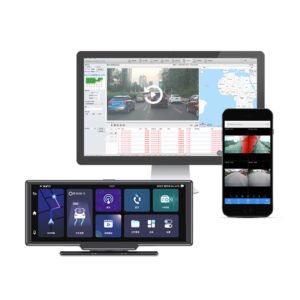
4G-connected / fleet cameras can automatically upload event clips to the cloud over cellular. Then retention is no longer limited by the card: important footage is stored remotely for the plan’s retention period (often weeks to months), and survives even if the camera is destroyed, stolen or the card removed. This is why fleets and rideshare operators rely on connected units — a driver cannot “lose” a clip, and evidence is retrievable from the office. See how this works in our fleet dash cam guide; the 4G triple-channel fleet DVR pairs local recording with cloud event upload. Even so, the local card remains the primary high-capacity recorder.
How to Keep Footage Longer
- ✅ Use a larger, high-endurance card (128–256GB) — the single biggest lever on how far back footage goes.
- ✅ Lock and transfer important clips promptly; don’t trust them to the rolling buffer.
- ✅ Manage the event folder — clear old locked clips and tune G-sensor sensitivity.
- ✅ Lower bitrate/resolution if you need longer retention over maximum quality (or balance both with a 2K setting for daily driving — buying guide).
- ✅ Use cloud upload (4G models) for clips you must keep indefinitely or for fleet evidence.
The Short Version
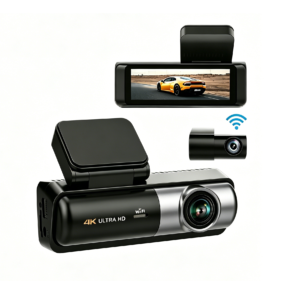
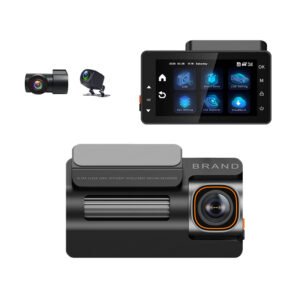
A dash cam keeps recent driving for as many hours as its memory card holds — roughly a day on 128GB, a day or two on 256GB, less for 4K/3-channel — then overwrites the oldest unlocked footage. Event, manual-lock and parking clips are protected until you delete them (or the locked folder fills up), so after a collision lock the clip and copy it off the card promptly. For footage you cannot afford to lose — especially across a fleet — choose a 4G camera with cloud backup. Quality Yeshi Tech models like the 4K triple-channel YS15, dual-channel YS14 and value YS02 all support large high-endurance cards and reliable event locking.
Dash Cams That Keep the Footage That Matters — Driver, Fleet and Wholesale Pricing
Yeshi Tech dash cams use reliable loop recording with G-sensor event locking, support high-endurance cards up to 256GB, and offer 4G cloud backup so critical clips are never lost — for drivers, fleets, distributors and OEM partners. Tell us your market and quantities — quote within 24 hours.
Email: sales01@yeshi3c.com
WhatsApp: +86 134 2511 8418
Address: Room 1006, Xianke Industry Building, Bagua 4th Rd, Futian District, Shenzhen, 518029, China