
You will see “WDR” or “HDR” on almost every dash cam spec sheet, and it is one of those features that sounds like marketing jargon but genuinely decides whether your night footage is usable. WDR stands for Wide Dynamic Range; HDR (High Dynamic Range) is essentially the same idea in a camera. Both exist to solve one brutal problem: a dash cam is constantly pointed at scenes where part of the frame is very bright and part is very dark — oncoming headlights at night, tunnel entrances, low sun against shadow. Without WDR, you get either blown-out headlights or a black, detail-free road. Here is how it works and whether it matters for you. For low-light footage overall, see our night vision dash cam guide.
The Problem: Dynamic Range
A camera sensor captures a limited range of brightness in one frame. Real driving scenes routinely exceed that range:
- Night driving — pitch-black road punctuated by blinding oncoming headlights and bright streetlights. A normal exposure either whites out the lights (and the car behind them) or crushes the road to black.
- Tunnels — driving from bright daylight into a dark tunnel (or out again) is a sudden, extreme brightness swing.
- Low sun / dusk / dawn — glare in a darkening scene, the worst conditions for reading a number plate.
Without help, the camera cannot expose correctly for both the bright and dark areas at once — so the detail you actually need (a plate, a face, a lane) disappears into the over- or under-exposed part.
How WDR/HDR Fixes It
WDR/HDR cameras capture the scene at multiple exposure levels — a short (dark) exposure that keeps bright areas like headlights from blowing out, and a long (bright) exposure that lifts detail out of the shadows — then combine/process them into one frame where both headlights and dark road are visible. In dash cams this is usually done via the sensor’s WDR mode and on-board processing (sometimes branded differently, but the principle is the same). The result:
- Oncoming headlights and streetlights no longer form giant white blobs that hide the vehicle.
- Shadowed road edges, pedestrians and the cabin interior retain detail.
- Tunnel entries/exits adapt faster with less “bloom.”
- Number plates stay legible across a wider range of real-world lighting.
WDR vs the Sensor: Both Matter
WDR is a processing feature, but it works best on top of a good low-light sensor (Sony STARVIS-class), which captures more light and less noise in the first place. A cheap camera can claim “WDR” but still produce grainy, smeary night footage because the sensor is weak. This is why our advice is to look for WDR/HDR plus a quality sensor together — not a big “4K” number on a no-name lens. Resolution alone doesn’t help at night; a good sensor with WDR does (see why in the night vision guide, and how resolution plays into it in 2K vs 4K and is 4K worth it).
Do You Actually Need It?
| Your driving | WDR/HDR importance |
|---|---|
| Lots of night / dawn / dusk driving | Essential — biggest single footage-quality factor after the sensor |
| Commutes with tunnels, low sun, city glare | Very useful |
| Rideshare / taxi (night-heavy) | Essential for both road and IR cabin footage — see rideshare guide |
| Daytime-only, well-lit routes | Helpful but less critical |
What to Look for on the Spec Sheet
- WDR or HDR listed (sometimes “WDR/HDR,” “true WDR,” or a sensor with high dynamic range).
- A named quality sensor (e.g. Sony STARVIS IMX series) — WDR on a good sensor is what actually delivers.
- IR night vision for cabin cameras in 3-channel setups (interior footage is pure WDR/IR territory).
- Prefer real sample night footage over marketing claims — ask the supplier for low-light clips.
Yeshi Tech models such as the 4K triple-channel YS15 (Sony low-light sensor, suited to rideshare/night duty), the dual-channel YS14 and the value YS02 combine WDR with quality low-light sensors. Use the full dash cam buying guide to spec the rest.
The Short Version
WDR/HDR makes a dash cam capture bright headlights and dark road detail at the same time by blending multiple exposures — which is exactly what night, tunnel and low-sun driving demand. It is not a gimmick: if you drive after dark or in tricky light (and rideshare/fleet drivers almost always do), treat WDR plus a good low-light sensor as a must-have rather than a bonus. Pair it with IR cabin coverage and a high-endurance card, and your footage stays legible precisely when you might need it as evidence.
Dash Cams With WDR/Night Vision — Driver, Fleet and Wholesale Pricing
Yeshi Tech supplies WDR/HDR-equipped 4K and 2K dash cams with Sony-class low-light sensors, IR cabin cameras and supercapacitor build — for drivers, fleets, distributors and OEM partners. Tell us your market and quantities — quote within 24 hours.
Email: sales01@yeshi3c.com
WhatsApp: +86 134 2511 8418
Address: Room 1006, Xianke Industry Building, Bagua 4th Rd, Futian District, Shenzhen, 518029, China
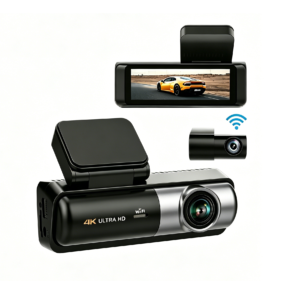
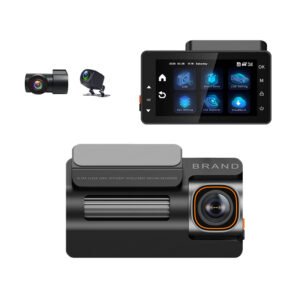
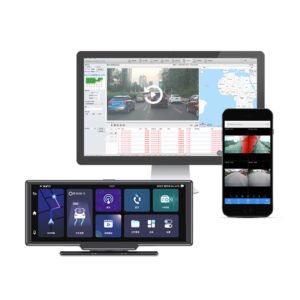
[…] The front camera records 4K 3840×2160 with enhanced night processing to hold detail and control glare from headlights and streetlights; the rear channel records 1080P. The goal is footage that stays legible at 2 AM — the moment a false claim or incident is most likely. Understanding the sensor tuning behind this helps when comparing models; see our explanation of WDR and HDR in a dash cam. […]